
If you’re missing calls after hours, you’re not “busy” — you’re leaking profit.
Service businesses are entering a new era: the ones growing fastest aren’t hiring bigger teams… they’re deploying AI workers that answer, qualify, book, and follow up 24/7.
That’s what Shofield AI is: an all-in-one Business AI & Automation platform that helps service businesses run faster, tighter, and more profitably with AI handling the repetitive work consistently (and instantly).
Why this is urgent (real-world proof, not hype) ⚠️
You don’t need to “believe” in AI. You only need to notice what’s already happening:
- Klarna publicly reported major efficiency gains from AI in customer service, including a stated 40% reduction in customer service costs per transaction over two years, and they’ve also reported that an AI assistant handled about two-thirds of customer service chats in its first month.
Translation: AI is already replacing large chunks of front-line support work at scale. - Gartner reported that 85% of customer service leaders planned to explore or pilot customer-facing conversational AI solutions in 2025.
Translation: your competitors are already testing this, whether they say it out loud or not. - Bank of America reported its virtual assistant “Erica” surpassing billions of client interactions over time and extremely high “find what they need” rates in related disclosures.
Translation: customers are already trained to get help from AI assistants, and it reduces load on humans for higher-value conversations.
If you’re still thinking “we’ll adopt later,” understand what “later” means in business terms: higher costs, slower response, lower conversion, and less margin.

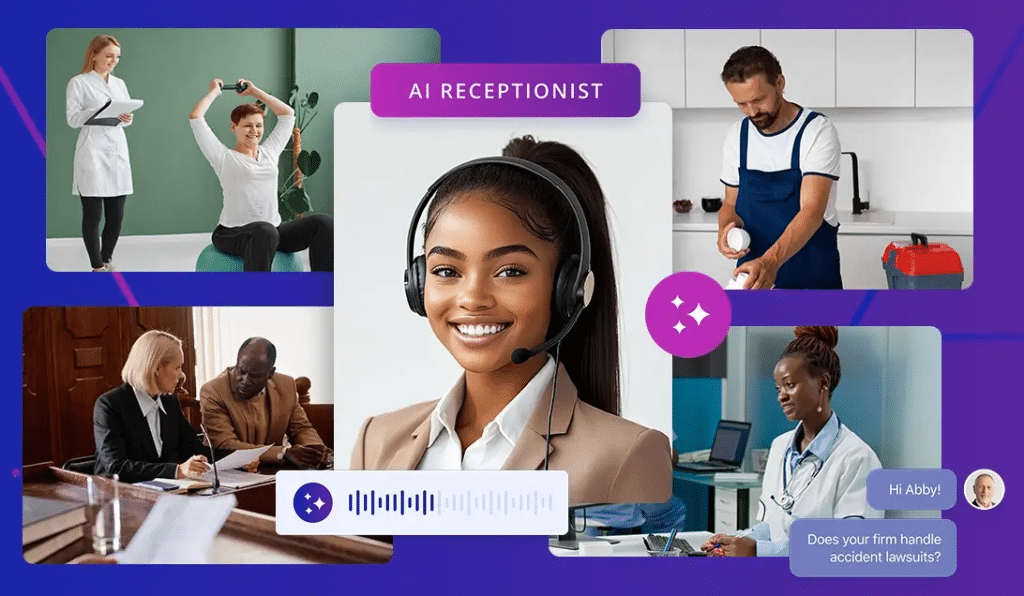
The feature we’re focusing on today: Voice AI inside Shofield AI 📞
Voice AI is your always-on phone operator that can:
- Answer inbound calls instantly (even at 2:00 AM)
- Qualify callers with structured questions (budget, timeline, location, urgency)
- Route to the right person when needed
- Book appointments automatically
- Send confirmations + reminders
- Trigger workflows based on what happened on the call
- Log outcomes so nothing disappears
This is the difference between “we call them back tomorrow” and “we booked them now.”
I’m Richy Shofield, Founder & CEO of Shofield AI (www.shofield.ai) — and I care deeply that business leaders pay attention to what’s coming, because preparedness will decide who wins this decade.
The Voice AI Money Loop (what you’re building) 💰
Inbound call → Voice AI answers → qualifies → books → confirms → triggers follow-up → updates pipeline → reminds → show-up increases → close rate increases.
The result is not “more calls.”
It’s more booked appointments, less wasted time, and less lead leakage.
Setup playbook: Voice AI that books appointments + triggers workflows ✅
Step 1: Define the job (pick ONE outcome)
Choose one primary goal for the voice agent:
- Book appointments
- Qualify leads and hand off to sales
- Handle common questions and route only high-intent calls
- Reactivate old leads (outbound)
If you make it do everything on day one, it will sound messy. Keep it focused.
Step 2: Create your call flows (keep it structured)
Create a simple call flow with:
- Greeting + business name + reassurance
- Reason for calling
- 3–5 qualification questions
- Confirm next step (book / transfer / follow-up)
- Close with confirmation
Example qualification questions:
- What service do you need help with?
- When do you want to start?
- What’s your location?
- What’s your budget range?
- Are you the decision-maker?
Step 3: Set escalation rules (don’t trap high-value callers)
Rules like:
- If caller says “emergency” → route immediately
- If caller is high intent (budget + timeline confirmed) → warm transfer or instant booking
- If caller is angry/confused → route to human fast
Voice AI should reduce workload, not create frustration.
Step 4: Connect calendar scheduling (the conversion trigger)
Your goal is simple: stop “taking messages.” Start booking.
Booking rules:
- Offer 2–3 timeslots
- Confirm name + phone + email
- Repeat appointment details
- Send confirmation message instantly
Step 5: Create call outcome tags (so workflows can fire)
Define outcomes clearly:
- Booked appointment
- Hot lead (qualified but needs human)
- Not qualified
- No answer / voicemail
- Call back requested
- Wrong number / spam
Step 6: Build workflows based on outcomes (this is where money is made)
Examples:
- Booked appointment
- move pipeline stage to “Booked”
- send confirmation + add reminders
- notify assigned rep
- Hot lead
- notify rep instantly
- add to high-priority call queue
- send “we’re calling you now” message
- No answer
- send missed-call text within 10 seconds
- retry call in 2 minutes
- retry again in 2 hours
- Call back requested
- schedule task
- auto-call at requested time
- Not qualified
- send polite close-out message
- move to nurture list
Step 7: Add “post-call notes” automatically
After each call, auto-log:
- what they wanted
- their urgency/timeline
- their budget range
- the next step
This makes your team faster and your pipeline cleaner.
Step 8: Add reminders that reduce no-shows
If you run appointments, you need:
- reminder 24 hours before
- reminder 2 hours before
- reminder 15 minutes before
- “Running late?” reply option
No-shows destroy revenue. Reminders fix that.
Step 9: Add compliance basics (keep it simple)
Keep these principles:
- Don’t pretend the AI is a human
- Ask for consent if you’re recording (if applicable in your market)
- Use respectful opt-out language for follow-ups
Step 10: Train the agent on your top 25 FAQs
Common questions:
- pricing ranges
- availability
- service area
- what to prepare
- cancellation policy
- directions / parking (if local)
The goal is fewer human interruptions.
Step 11: Run a 48-hour optimization sprint
For the first two days:
- review call outcomes
- fix the top 5 failure points
- tighten questions
- improve routing
- reduce long-winded replies
Step 12: Track the only metrics that matter
- speed to answer (should be instant)
- booking rate per caller
- show rate
- close rate
- cost per booked appointment
- missed calls recovered
Two ready-to-use examples (copy these) 🧠
Example 1: Dental clinic (inbound bookings + reminders) 🦷
Call flow:
- Greeting
- “Are you a new patient or existing?”
- “What do you need help with: cleaning, pain, cosmetic, other?”
- If pain → prioritize today, offer urgent slot
- Confirm name + phone + email
- Book appointment
- Confirm address + arrival time + policy
Automations to trigger:
- If booked
- confirmation + reminders
- add intake form request
- notify front desk
- If pain/emergency
- alert team instantly
- push to priority pipeline stage
- If missed call
- instant text: “Want me to book you?” + booking link inside Shofield AI message
Example 2: Home services (inbound + missed-call recovery + dispatch) 🛠️
Call flow:
- Greeting
- “What service: AC, plumbing, electrical?”
- “What’s your location?”
- “Is this urgent today?”
- “Can you describe the issue in one sentence?”
- If urgent + in service area → book slot or dispatch
- Confirm details and send confirmation
Automations to trigger:
- If qualified + urgent
- notify dispatcher
- create job/task
- send arrival window + technician name
- If not in service area
- polite decline + referral message
- If no answer
- instant missed-call text + callback schedule option
The blunt reality 😈
If your competitors answer every call instantly and book appointments automatically, you don’t lose because your service is worse.
You lose because they respond faster, follow up harder, and operate 24/7.
If you want Voice AI running inside your business this week, create your free account at www.shofield.ai and book a guided setup so we can deploy your first Voice AI agent with scheduling + workflows.
Richy Shofield
Founder & CEO, Shofield AI (www.shofield.ai)